
How to Merge MP3 Files on iPhone
To merge MP3 files on an iPhone, you can use audio editor apps. Alternatively, you can do it online on websites with the corresponding functionality.
Here are the TOP 4 most convenient options.
1. MergeMP3.io Website
A minimalist web service that allows you to merge multiple audio files into one. The interface is as simple as possible – nothing extra, only the essentials. All functions are visible, and you can figure it out in a minute.
Available processing options:
- Volume normalization
- Automatic silence removal
- Crossfade
Advantages:
- Works directly in the browser – no installation required
- Processing takes seconds
- Intuitive controls
Disadvantages:
- Functionality is limited to merging only – advanced editing is not available
Instructions:
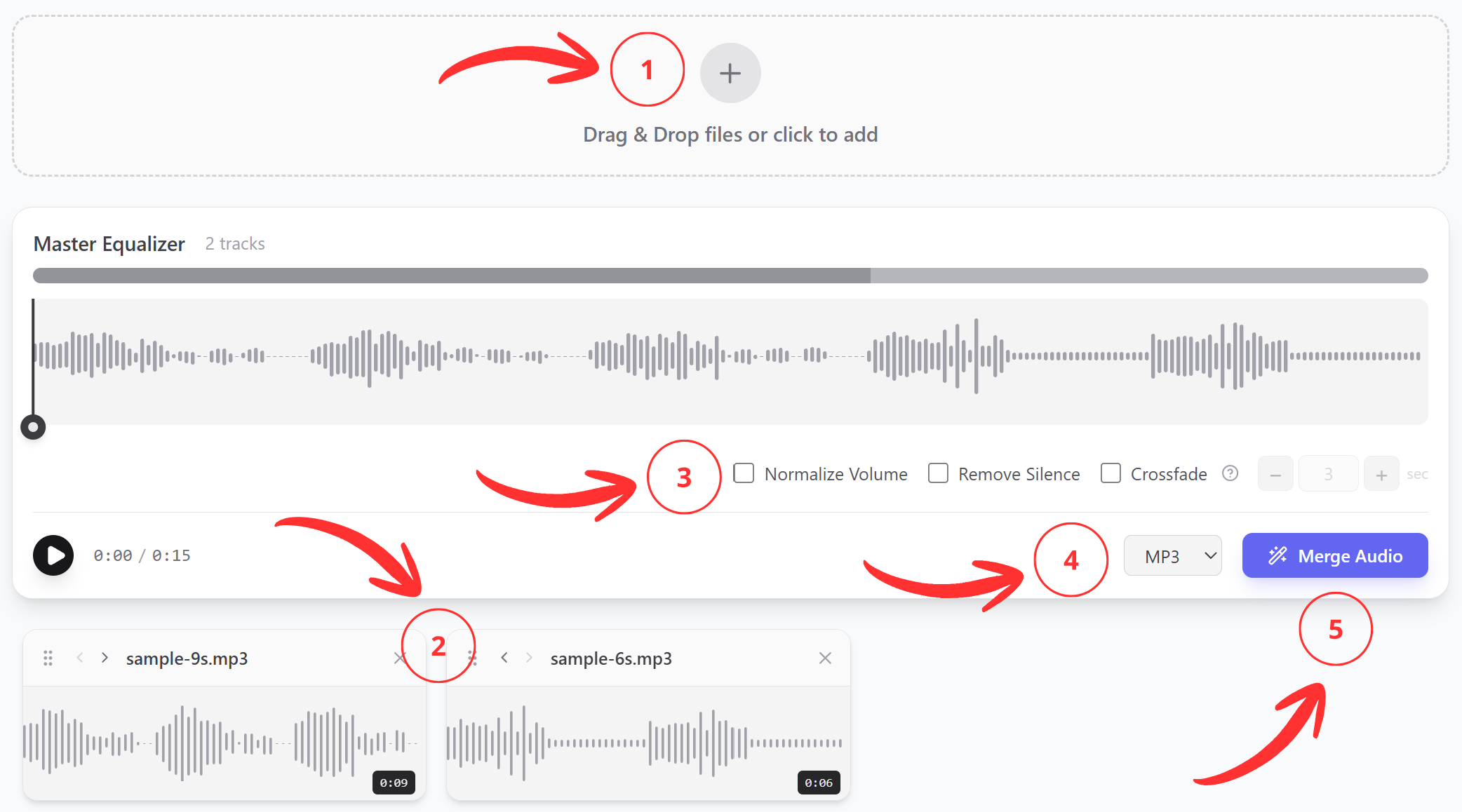
- Add MP3 files from your iPhone
- Drag the tracks to arrange them in the desired order
- Adjust the processing settings for your task
- Select the output file format
- Click “Merge” and wait for completion — the finished recording will download automatically
2. GarageBand
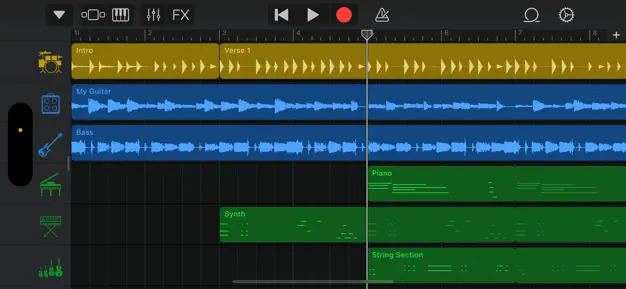
GarageBand is a free app from Apple for creating and recording music. It’s a complete music studio with virtual instruments and a collection of effects. Among other things, it has the ability to merge tracks.
Advantages: already installed on the device
Disadvantages: the process is not the most obvious for beginners
Instructions:
- Tap on the header of the desired track, then tap again – select “Merge” from the menu that appears
- Check the circles next to the other tracks you want to merge
- Tap “Merge” in the upper right corner
- Done – the app will create a new copy of the project
3. Any App from the App Store
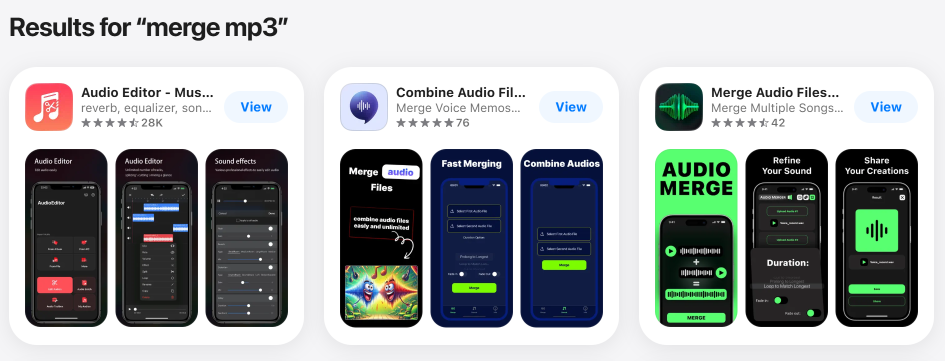
Simply type “merge mp3” in the App Store search and choose any app you like. Any of them will handle this task. It’s just a matter of convenience.
Pros: they perform their function.
Cons: ads, need to download and install, interface is not always convenient.
4. Audio Joiner by Happyscribe
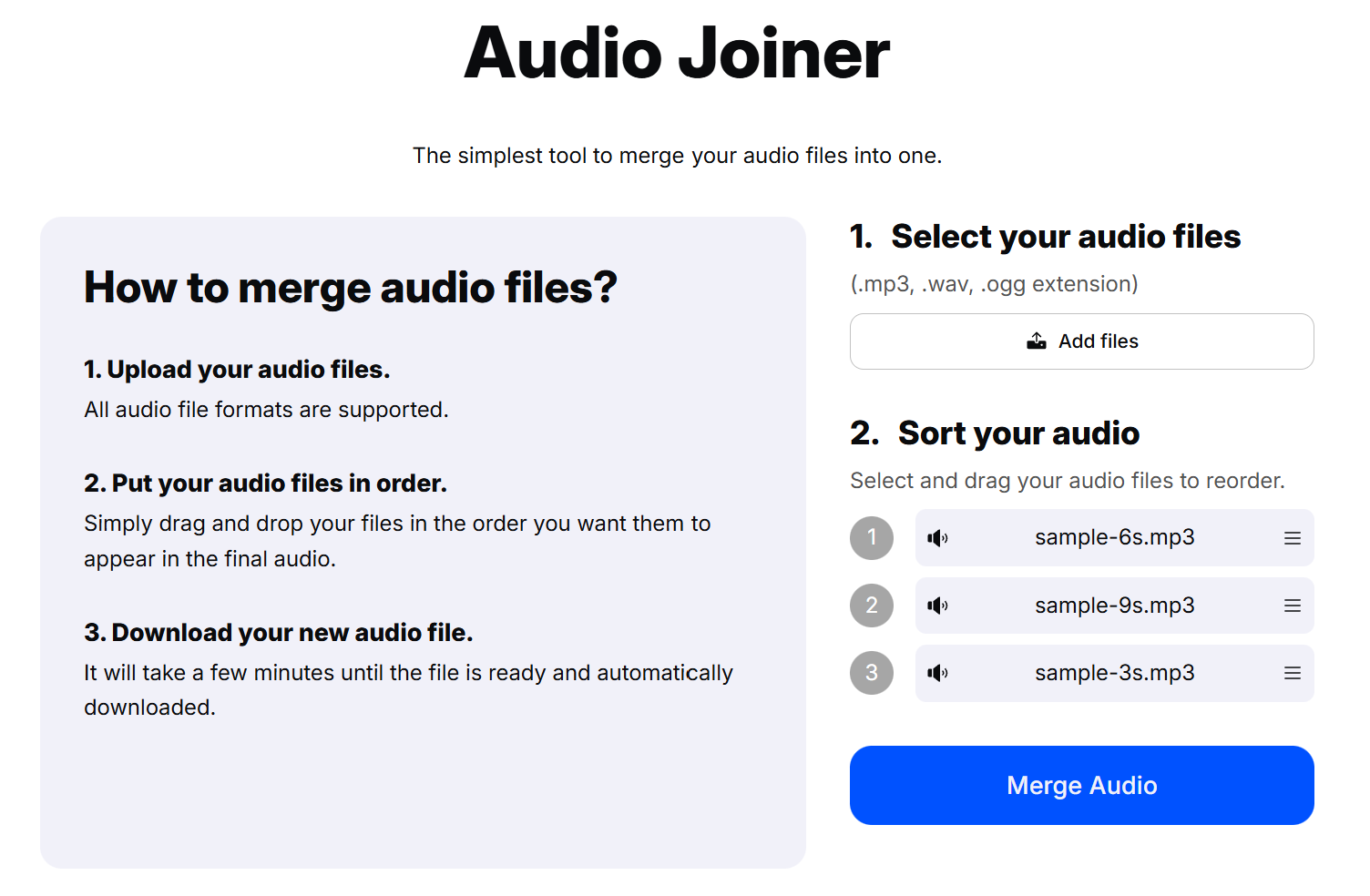
Happyscribe is a website with a large number of various tools for working with video, audio, and text. Among them is a dedicated tool for merging tracks.
Everything is as simple as possible – upload the files, sort them, download the result. But there are no settings at all, not even the most basic ones.