
Merge MP3 VS FL Studio – The Easier Way to Merge Two MP3 Files
FL Studio is a popular digital audio workstation (DAW). It’s designed for creating, editing, and mixing music. It has a huge number of useful tools for arranging, recording, and comprehensive audio work.
Merge MP3 is a simple web tool for combining audio files. It has everything you need: you can level out track volume, add smooth transitions between songs, save the result in different audio formats, and remove unnecessary pauses automatically.
How to Merge MP3 Files in FL Studio
Due to its popularity and widespread use, FL Studio is often used not just for music creation. Its functionality also allows for merging audio tracks, for example, when editing podcasts.
Let’s say you need to connect two tracks one after another, add a smooth transition between them, and bring the volume up to one level, then save it all as a single file.
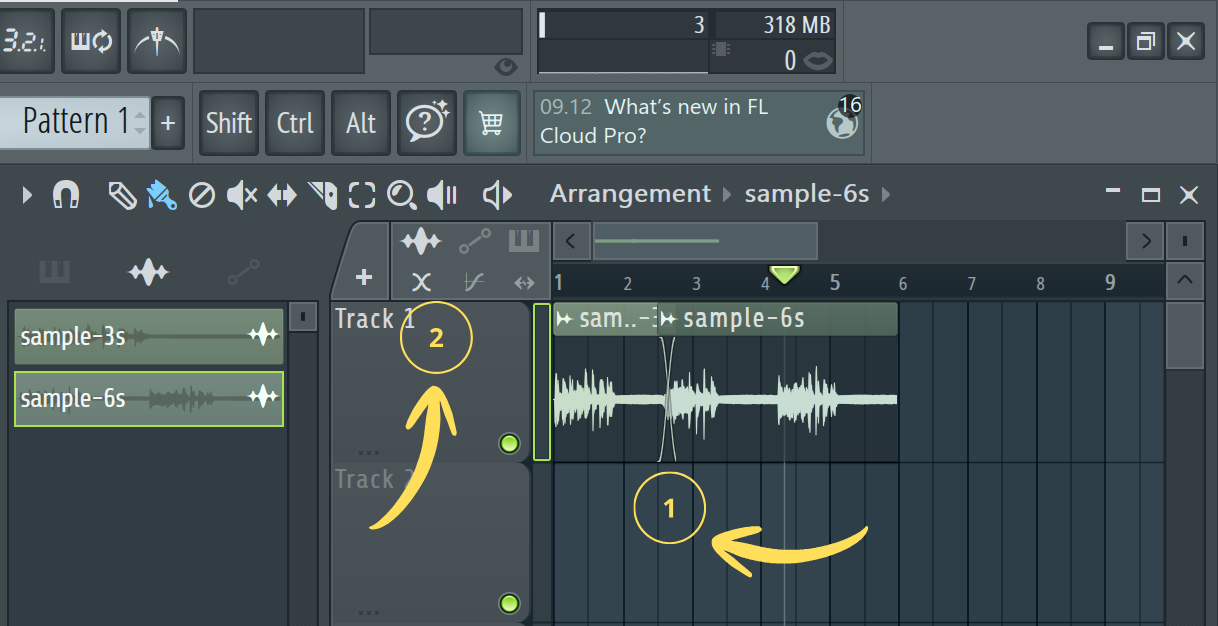
- Drag the tracks into the workspace (Playlist) and arrange them sequentially. Overlap their edges.
- Cross Fade should be applied automatically. If this doesn’t happen, manually activate the
Fadesoption in the upper left corner of the workspace. - To adjust the overlap parameters, there are special handles on the edges of the tracks – simply drag them.
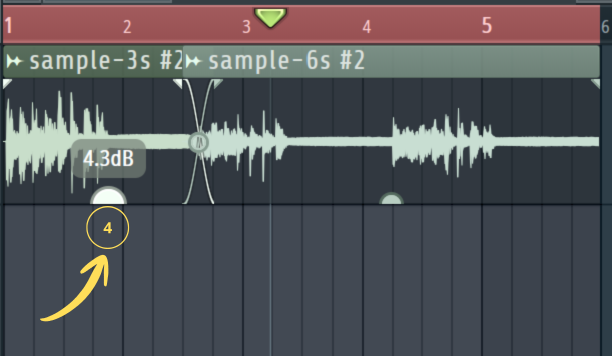
- To normalize the volume level, you’ll need to manually adjust the volume for each track. You’ll have to rely on your hearing and the thickness of the waveform.
- To save the resulting track, click
File > Export > MP3 file.
How to Combine Audio Files in Merge MP3
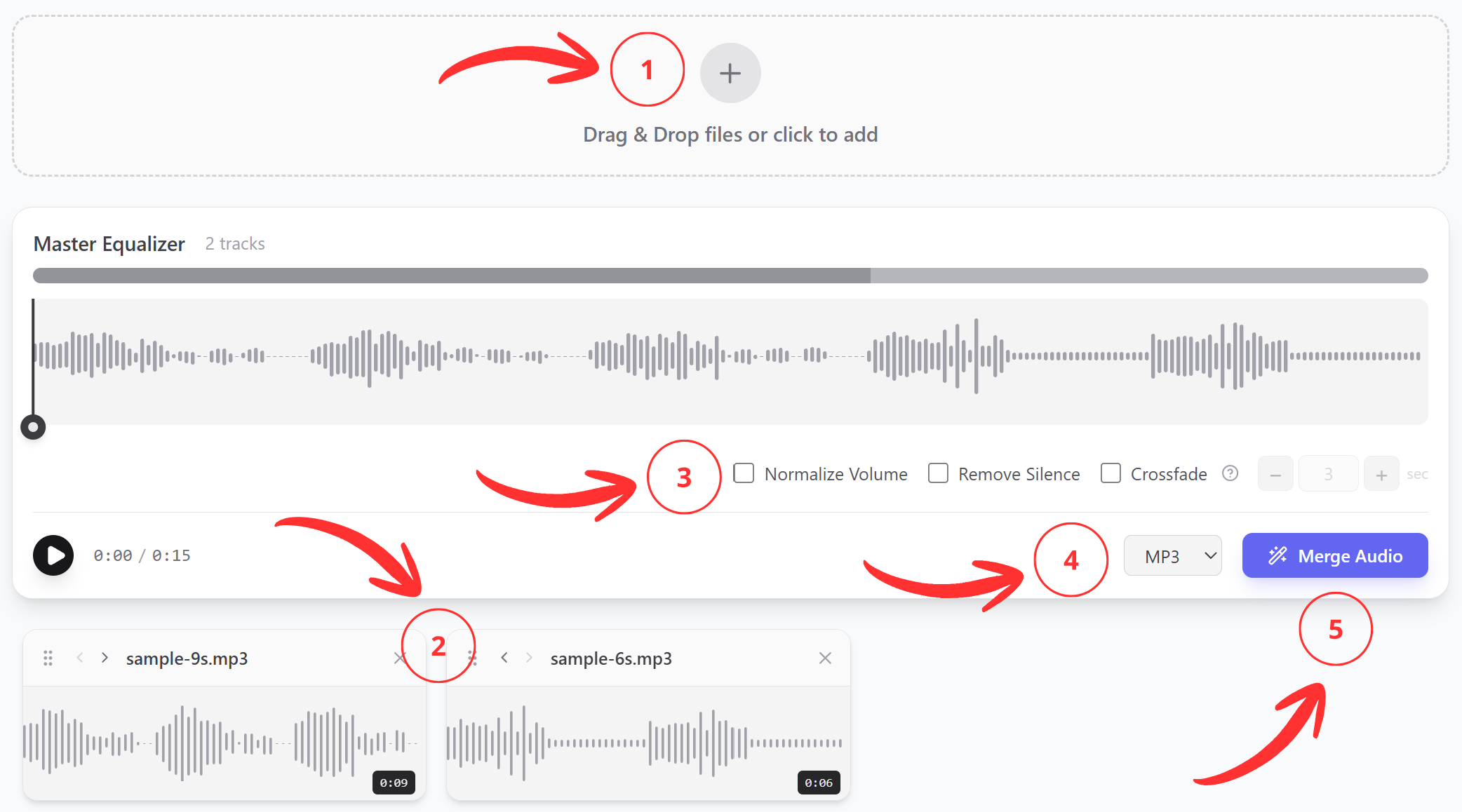
- Upload the needed audio files to the service;
- Arrange them in the correct sequence;
- Configure the parameters for your needs;
- Specify which format to save in;
- Click “Merge” — the file will start downloading immediately.
All tools are gathered in one place, so work goes as quickly as possible.