
How to Merge MP3 Files on Android
You can use specialized apps or online services.
Check out the TOP 4 tools for this purpose.
MergeMP3.io
A simple website for merging audio files. Only essential settings. A clean and intuitive interface where everything you need is at your fingertips.
Allows you to normalize volume, remove silence from tracks, and apply the Crossfade effect.
Pros: no installation required, fast, convenient.
Cons: no other audio editing features.
How to Use
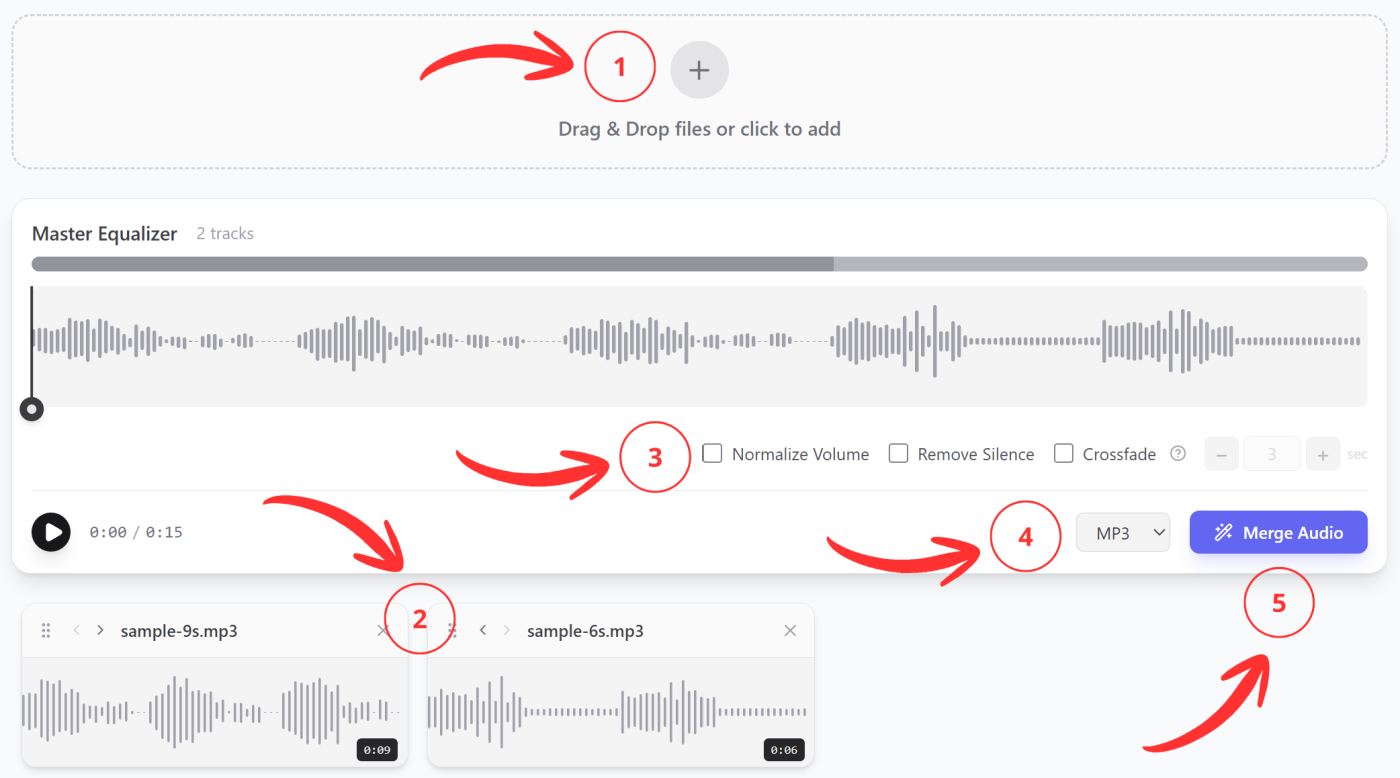
- Upload MP3 files from your Android phone;
- Arrange them in the desired order;
- Enable settings according to your needs;
- Select the output format;
- Click the “Merge” button — after a short while, the download will start automatically.
MP3 Audio Merger and Joiner App
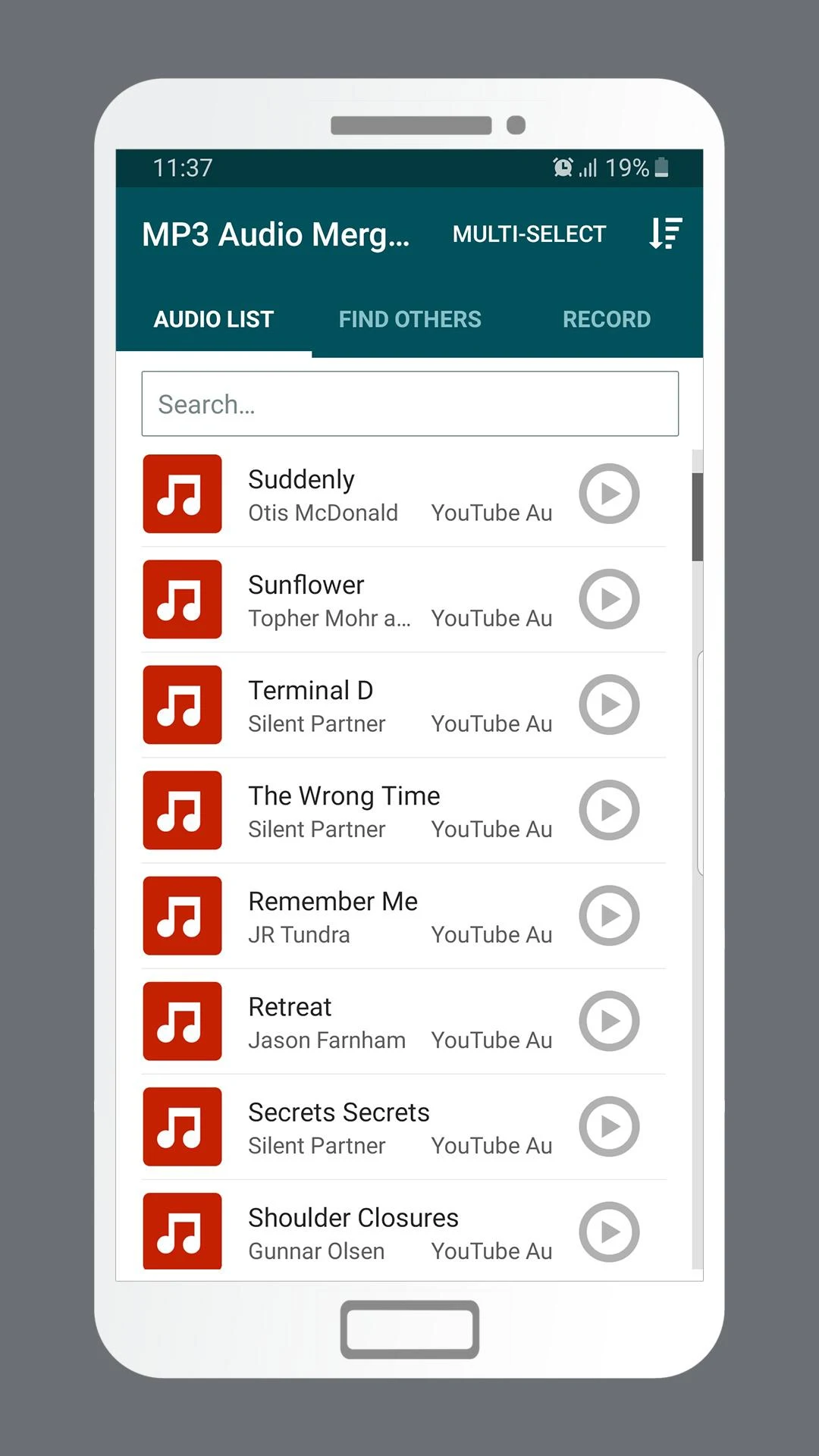
An app for Android phones for joining audio tracks. Simple — designed for this one specific task only. It automatically finds all MP3 files on your phone, so you just need to select the ones you need.
Pros: simple, fast.
Cons: requires installation, contains ads, lacks additional useful settings.
AudioLab App
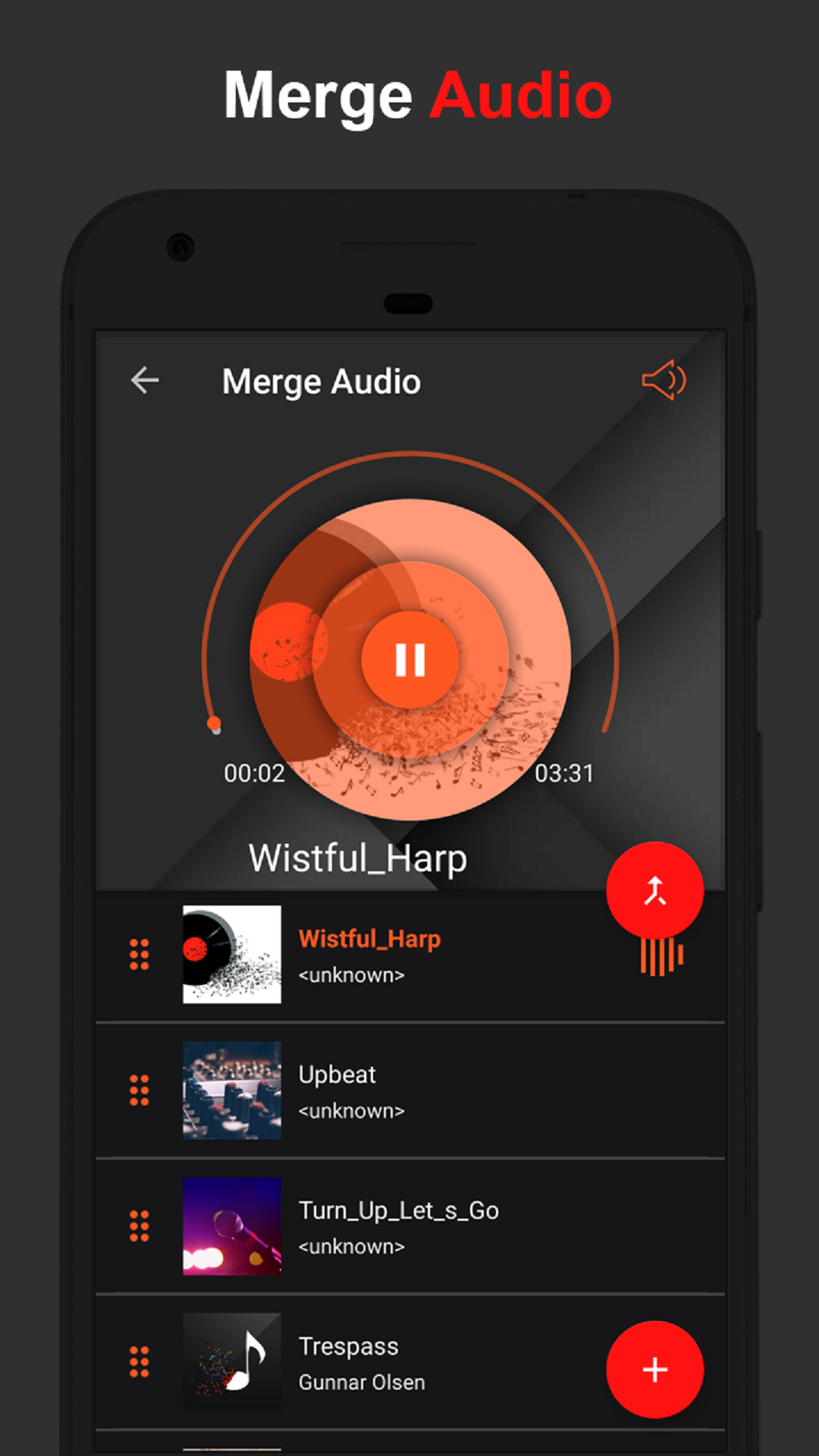
This is a full-featured audio editor. It allows you not only to edit but also to enhance and record sound. You can apply various effects and filters.
It consists of a set of individual tools. For example, music trimming, voice changer, equalizer, and more.
The audio merging tool specifically allows you to configure Fade In/Out, Crossfade, and add silence between tracks.
Pros: has additional tools.
Cons: requires installation, contains ads.
Audio Joiner by clideo.com
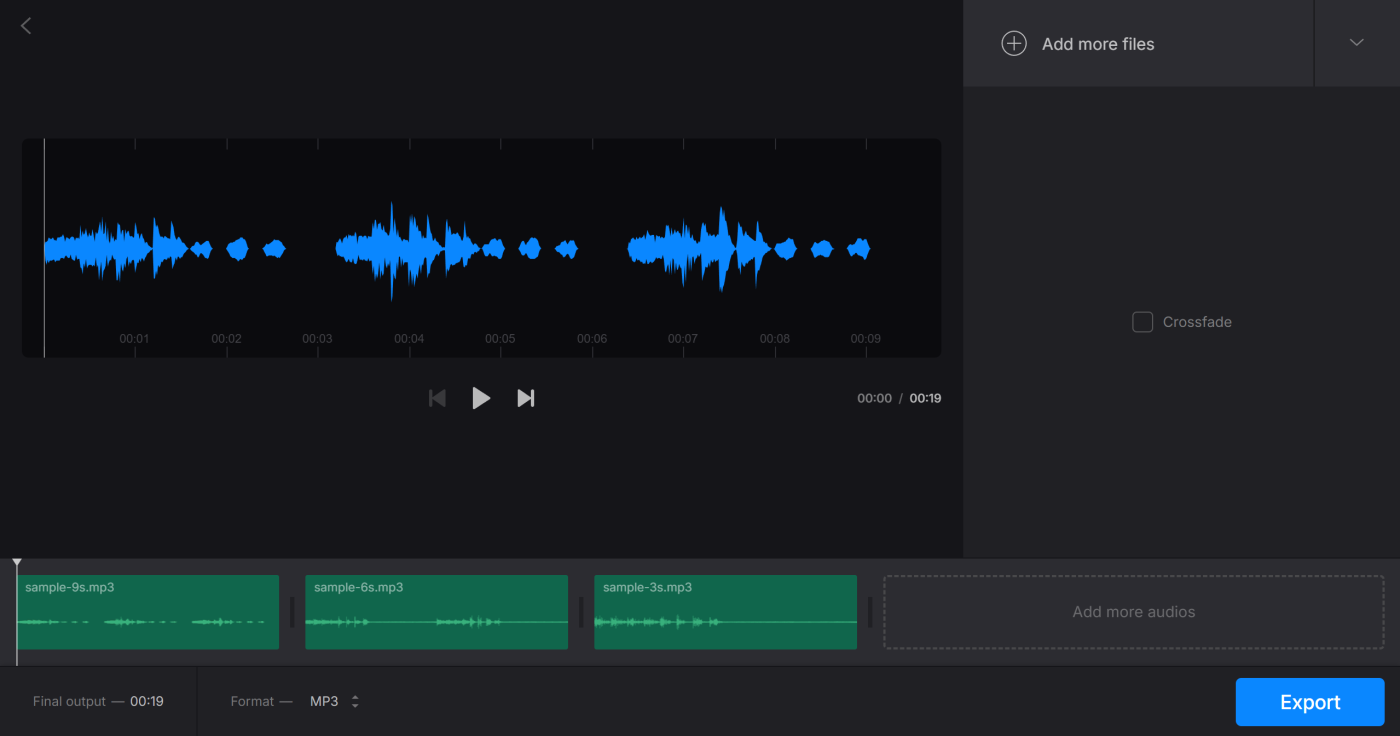
Clideo is a collection of online tools for working with audio, video, and images.
When joining audio tracks, only the Crossfade setting is available. You cannot adjust its duration, which may be critical in some cases.
Pros: fast, no installation required.
Cons: insufficient settings.