
How Merge MP3 Simplifies Podcast Editing
4 main problems that an editor faces when preparing a podcast:
- All source files have different formats and quality;
- Difficulty combining 10+ fragments with a complex episode structure;
- Need to create smooth transitions between parts;
- Speed and complexity of the workflow.
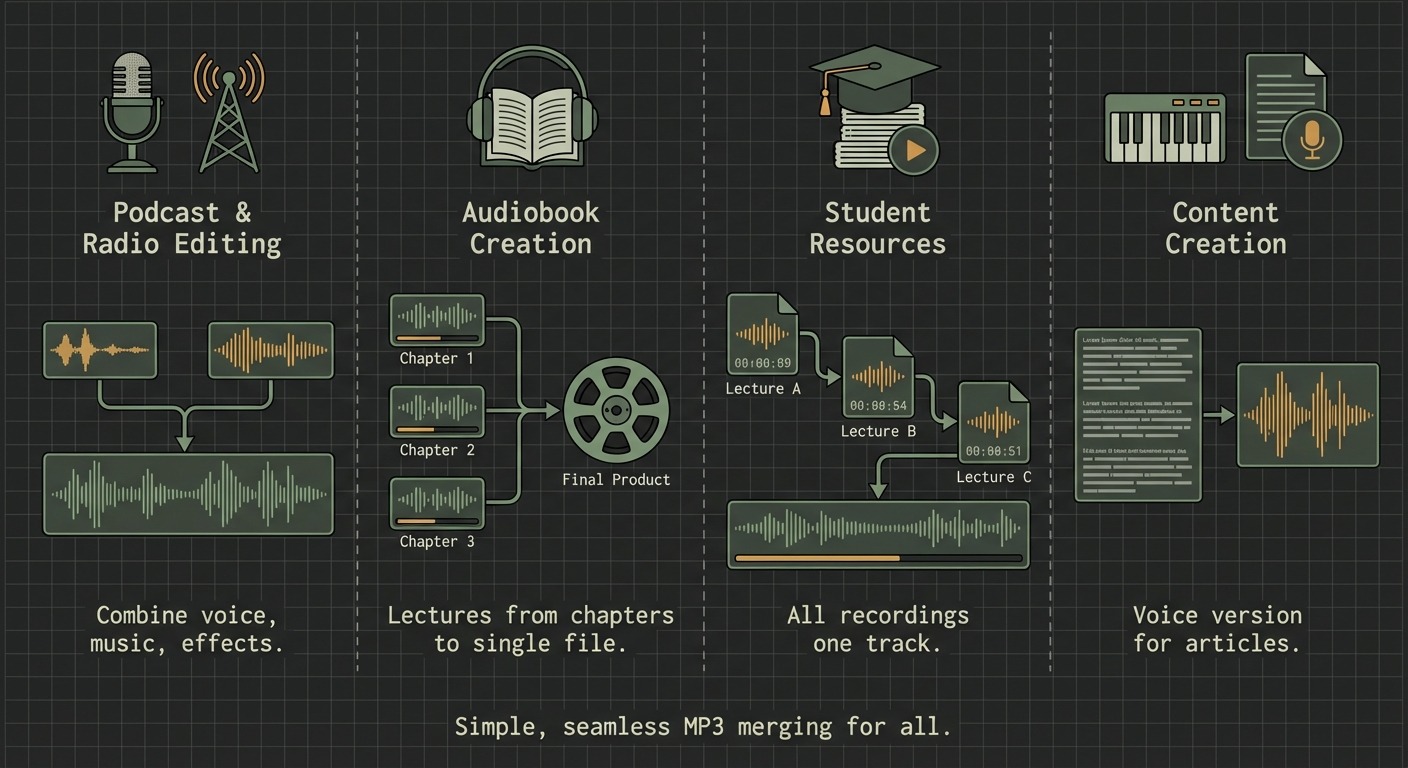
All these difficulties can be solved with the simple Merge MP3 tool.
Problem of Differences in File Technical Specifications
Podcast episodes could have been recorded on different equipment. They were saved in different formats with different bitrates. The volume of individual tracks is always different: one guest recorded on professional equipment – their voice is loud, another recorded on a phone – voice is quiet, and advertising inserts have their own level.
All this can be brought to a single standard.
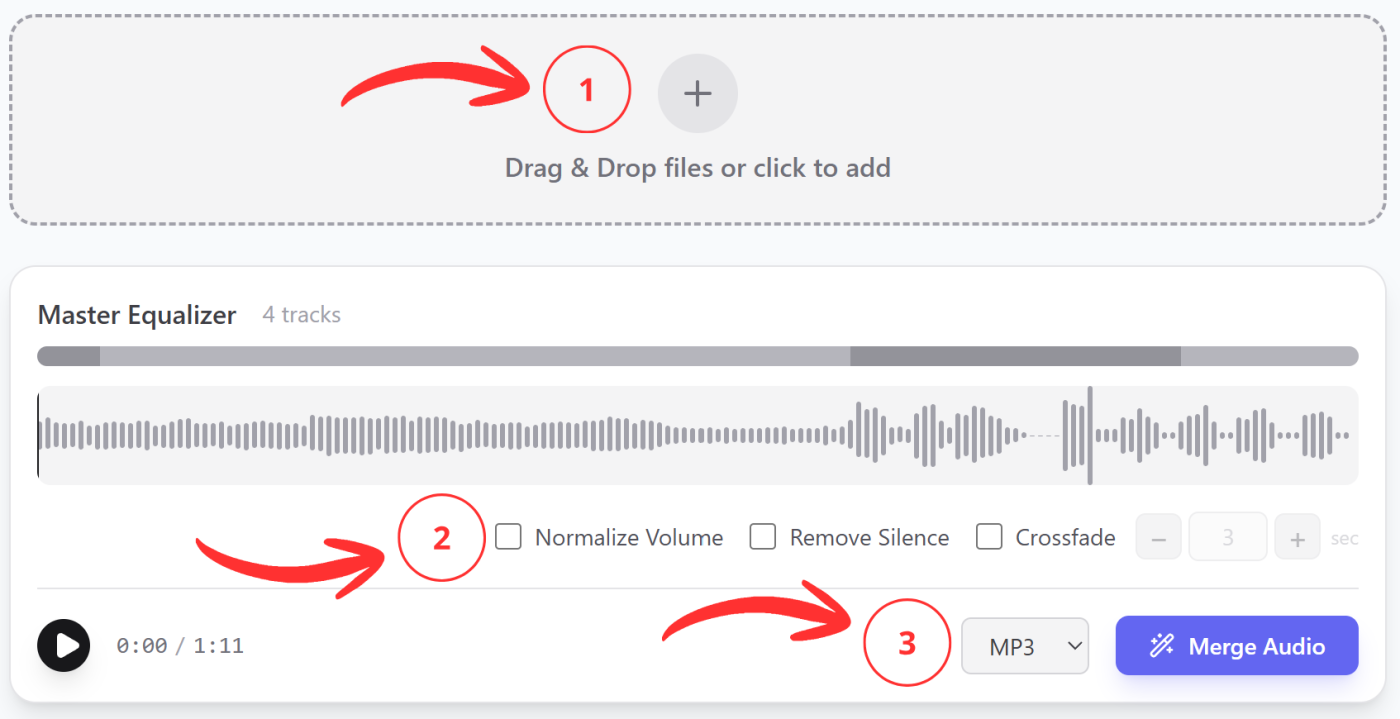
- Upload audio files of any format, volume, and with different characteristics;
- Enable the volume normalization option. It analyzes all tracks and adjusts the volume level, which makes the final audio track balanced. All parts of the podcast become approximately equal in volume;
- Choose the format of the final file. All uploaded tracks will be combined and saved in a single format. You’ll get a ready result for further work or publication.
Problem of Organizing Complex Episode Structure
It’s often necessary to assemble a podcast episode from 10+ separate files. These are intro, outro, guest recordings, advertising inserts, and jingles. This can become a real headache if using an inconvenient audio editor.
Merge MP3 has a convenient, concise interface. Only the necessary tools are at hand, and extra buttons and settings don’t distract from solving the main task.
Problem of Creating Professional Transitions
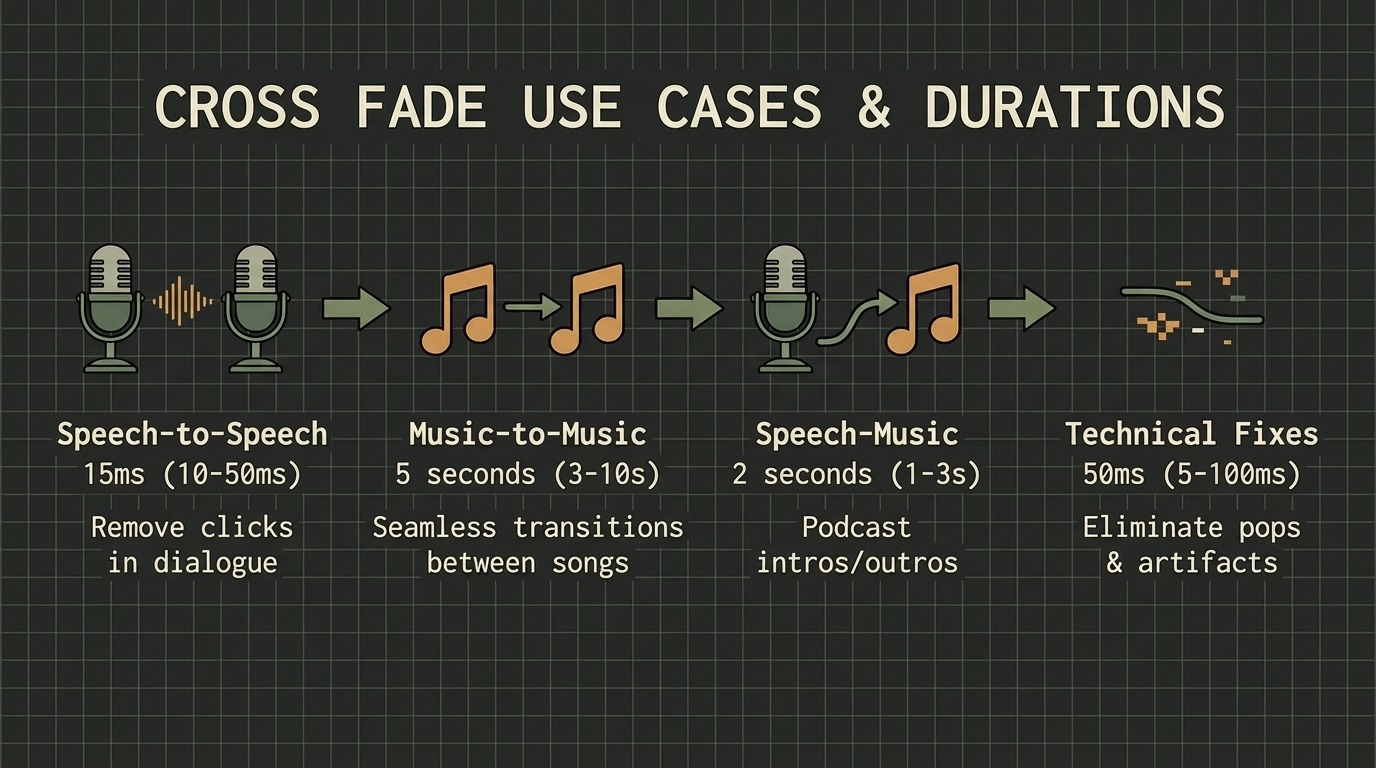
With regular audio splicing, unpleasant moments can occur – clicks or sharp transitions. Music can suddenly cut off, and speech can start too abruptly without a smooth lead-in. All this sounds amateurish.
In Merge MP3, you can enable the Cross Fade effect. This is an editing technique where one track’s volume fades while another simultaneously increases. The overlap duration setting is available.
Problem of Work Speed
The key difference of Merge MP3 is a convenient interface where only the necessary functions are at hand. There’s no need to learn complex programs with dozens of settings. Professional results are obtained in a matter of minutes.