
How to Combine Voice Recordings Using Merge MP3
The Merge MP3 service greatly simplifies combining voice memos, interview recordings, and lectures.
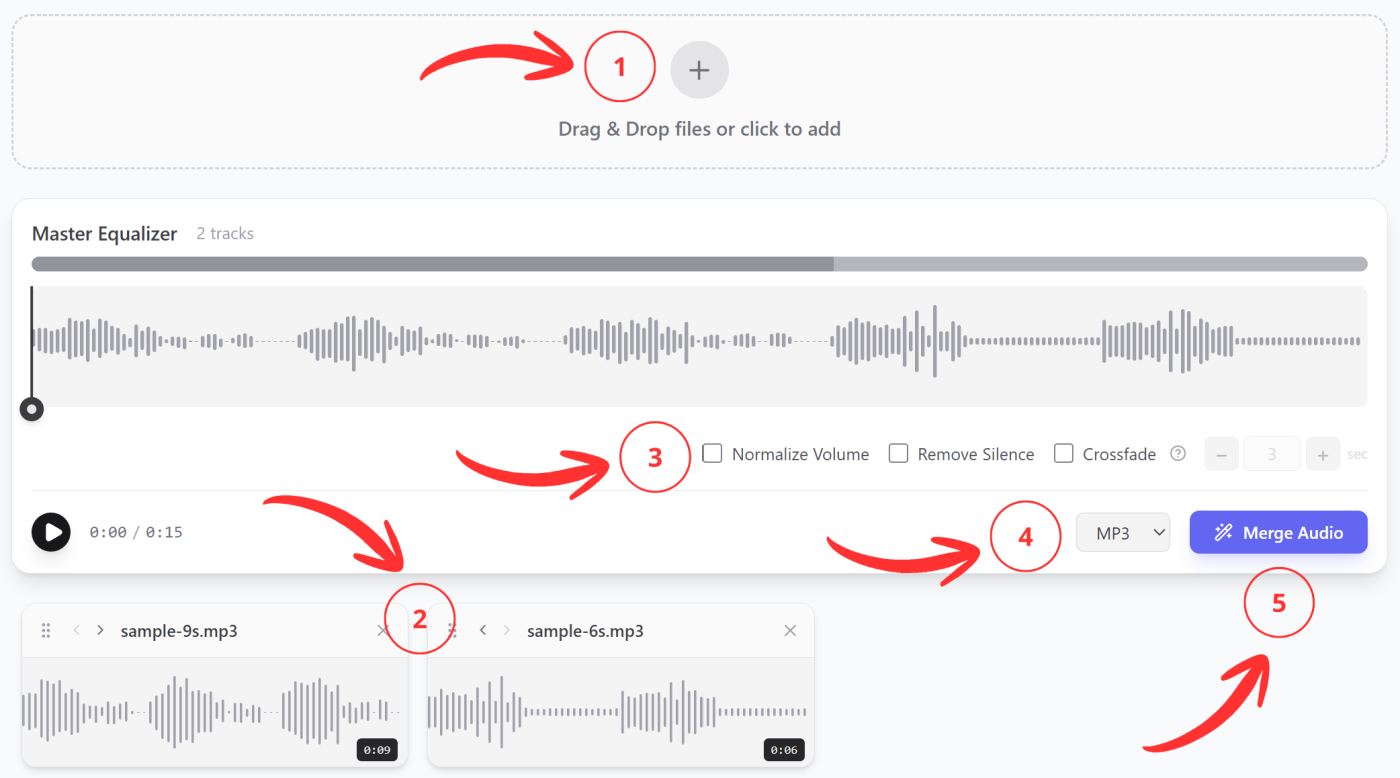
- Upload several voice memos from your device.
- Arrange them in the desired order. You can navigate by the recording names or listen to each one.
- Enable the necessary settings:
- Volume Normalization will bring all parts of the final recording to a uniform volume level.
- Remove Silence will eliminate unnecessary moments in the recording where you were simply silent.
- Crossfade will eliminate unnatural transitions, clicks, and artifacts at the joints.
- Choose which format to save the result in.
- Click Merge Audio.
Advantages
The Merge MP3 service solves the most common problems when working with voice memos:
- Recordings are often made on different devices or in different programs/applications. Accordingly, they will all have different formats and technical specifications. Regardless of this, you can work with all of them in one place.
- When recording your thoughts or lectures with a voice recorder, pauses and silence often occur, which is quite natural for normal speech. You can exclude these moments from the final file if you only need useful information from the notes. Simply activate the Remove Silence option.
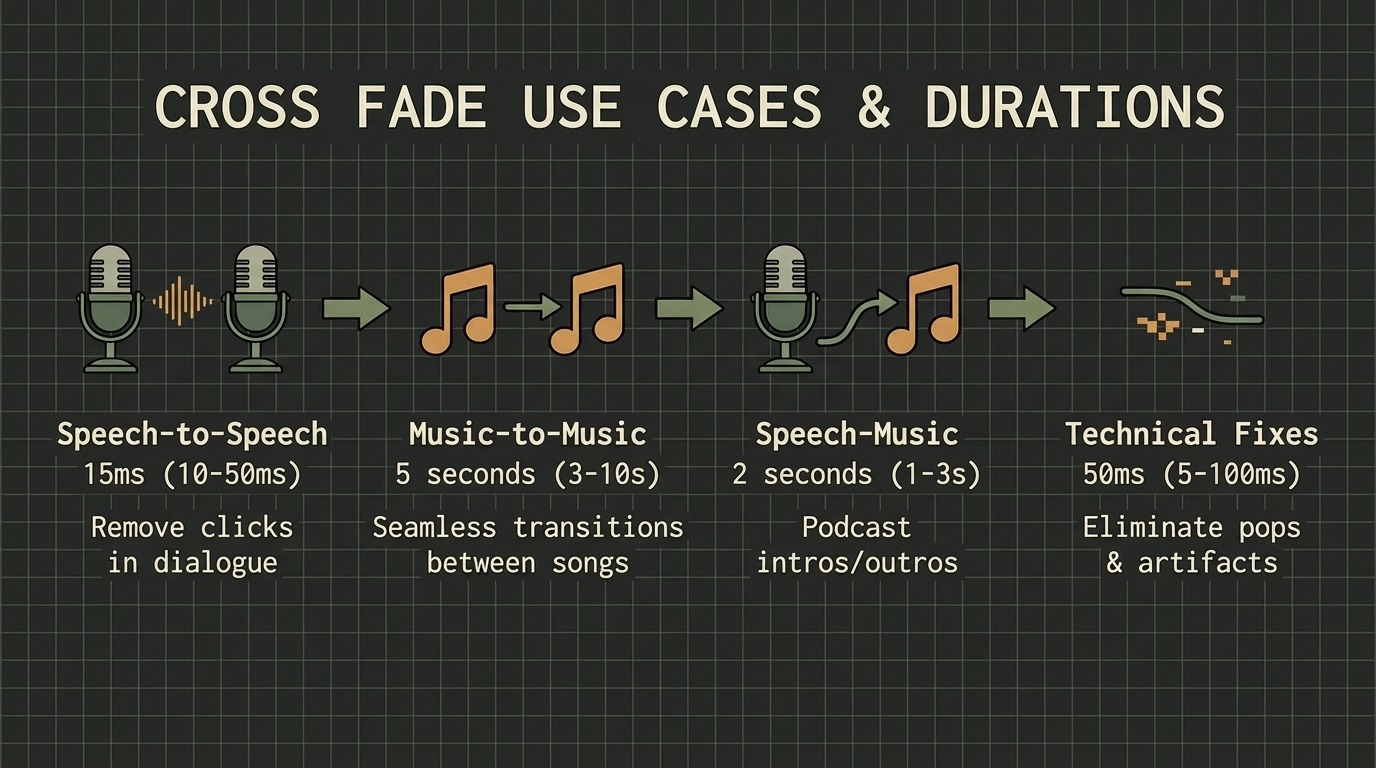
- When splicing voice recordings, sharp sound jumps inevitably appear at the joints. They sound like clicks or interference. To make all transitions smooth, you need to enable the Crossfade option. When splicing voice recordings, it is recommended to set the value to 0.01-0.05 seconds.
- All recordings are made under different conditions. You dictate something close to your phone’s microphone, and something more quietly. Sometimes you record a teacher’s lecture from the first row, and sometimes from afar. For comfortable listening, there should be no sharp volume jumps. The Remove Silence option will do everything automatically.