
Merge MP3 VS Audacity – Which to Choose for Combining Two Audio Files
Audacity is one of the most popular programs for recording, editing, and audio production. It’s a professional tool that has many useful features, from equalizer and vocal removal to tempo changes and pitch adjustment.
Merge MP3 is a modern, convenient online service designed for merging audio tracks. It has only the essential features needed for this: volume normalization, Cross Fade, export to other formats, and automatic silence removal.
How to Combine Tracks in Audacity
You’ll need to figure out its interface and find the necessary functions. Let’s examine a case where you need to sequentially merge two files, create a smooth transition between them, and level out the audio, then save it as one file.
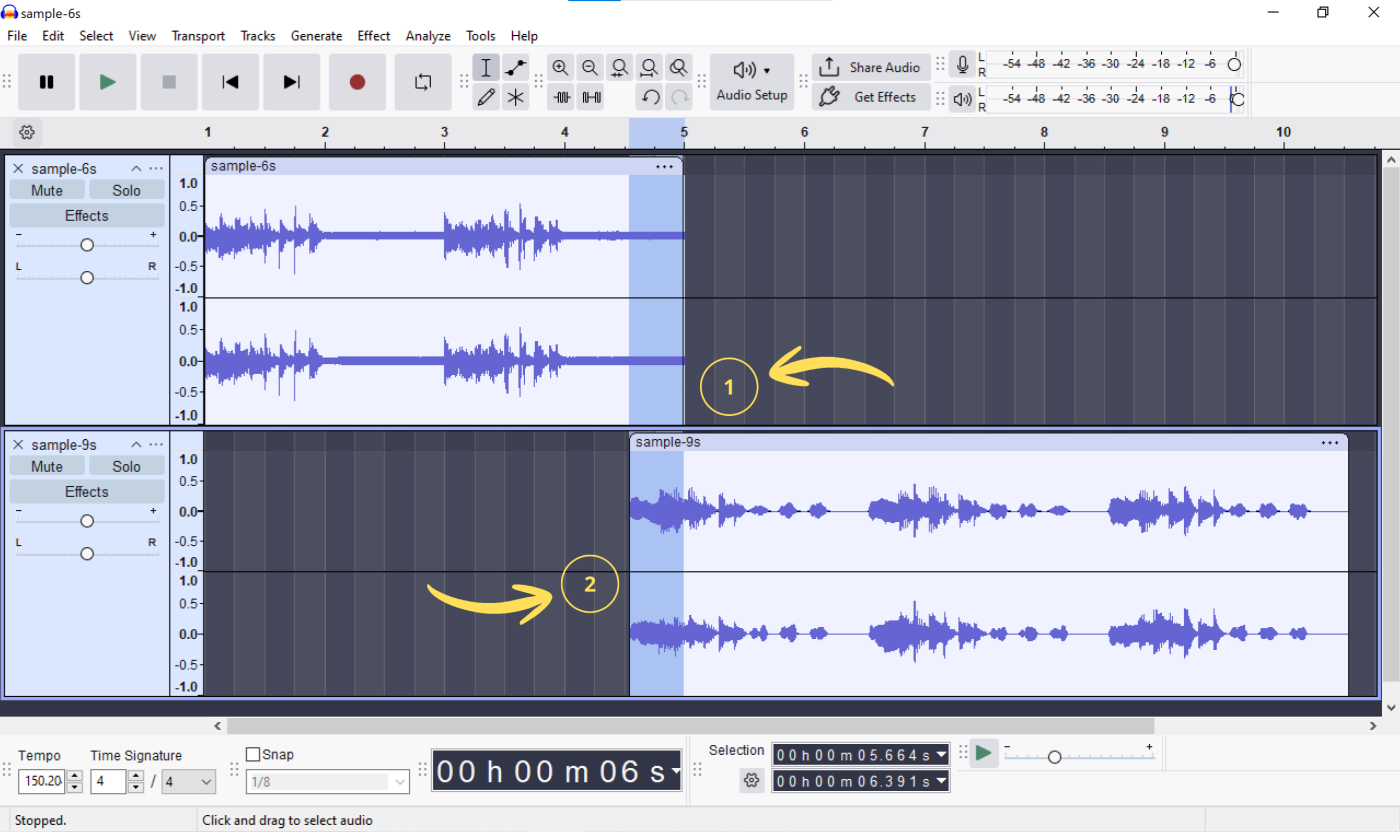
- Place the tracks on two separate tracks so they overlap in time. The overlap is necessary for a smooth transition.
- Select the overlap area on the first and second track using the Selection Tool;
- Choose
Effects → Fading → Crossfade Tracks. Set your desired settings or leave everything at default.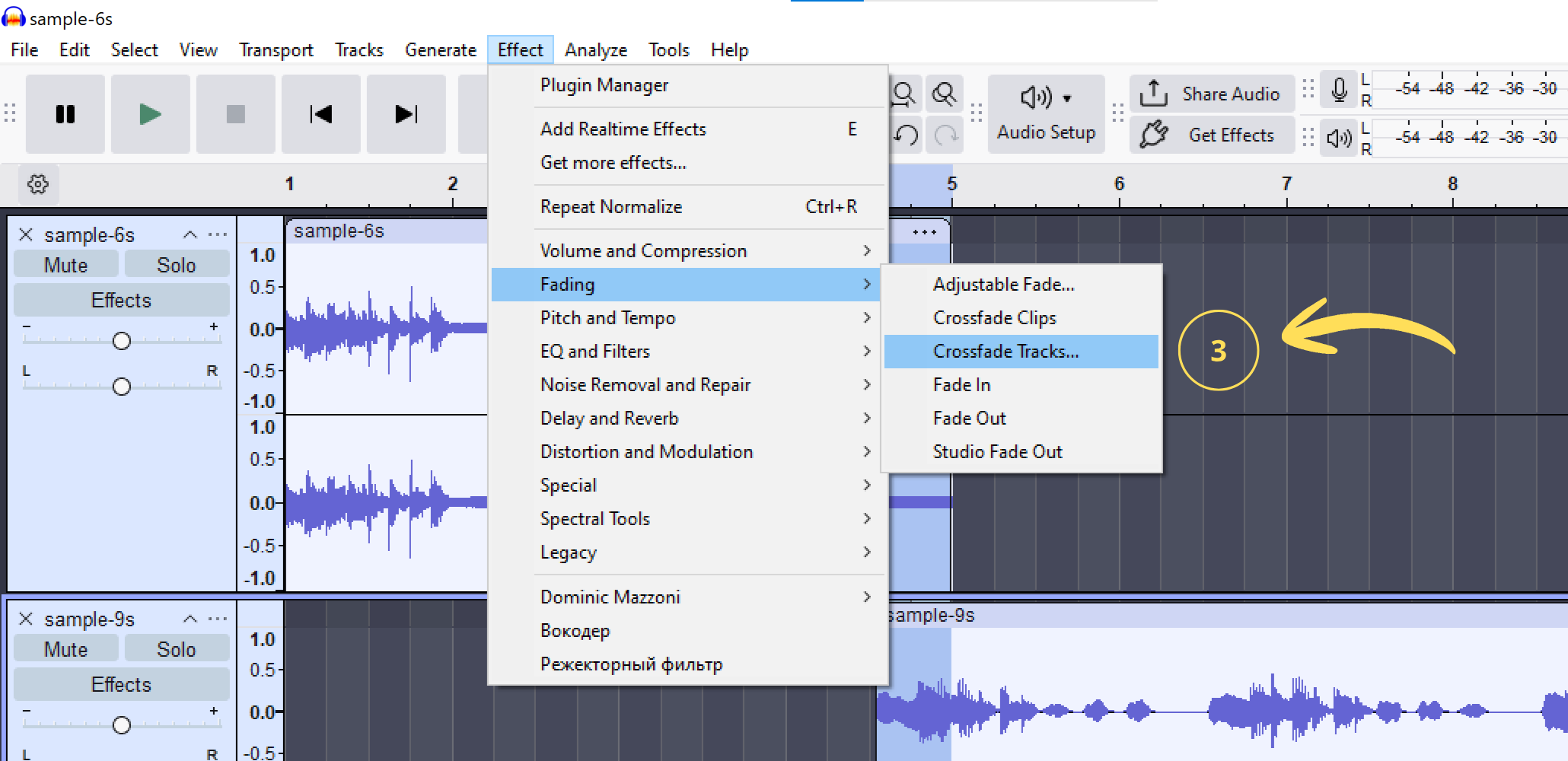
- Select all tracks:
Ctrl+A(Windows) orCmd+A(Mac). Go toEffect → Volume and Compression → Normalize…Configure your desired parameters or leave them at default.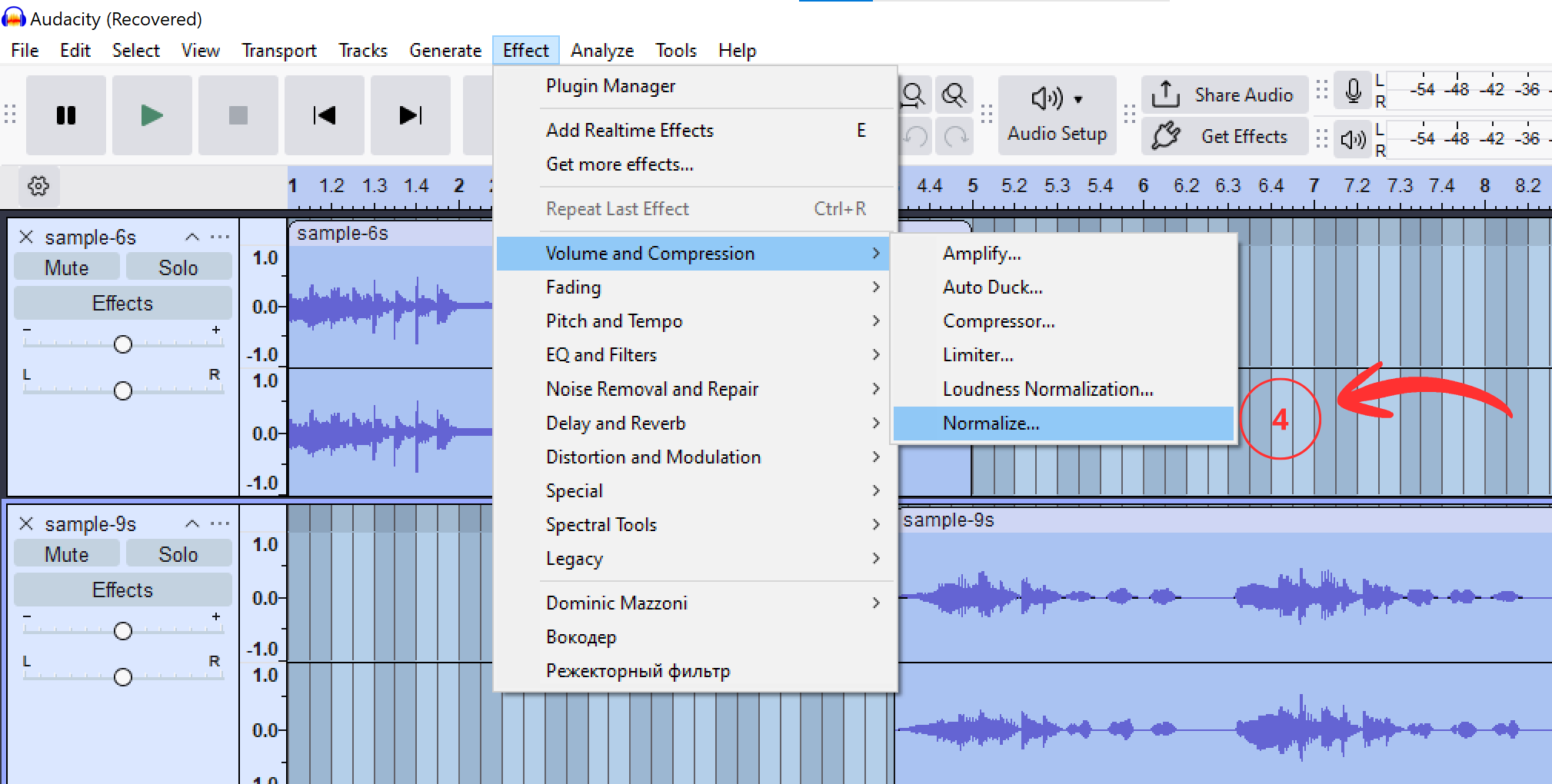
- Select all tracks, go to
Tracks → Mix → Mix and Render. You’ll get one merged track. - To save the file, click
File → Export Audio, chooseOn your computer. Select the format and settings.
How to Combine Tracks in Merge MP3
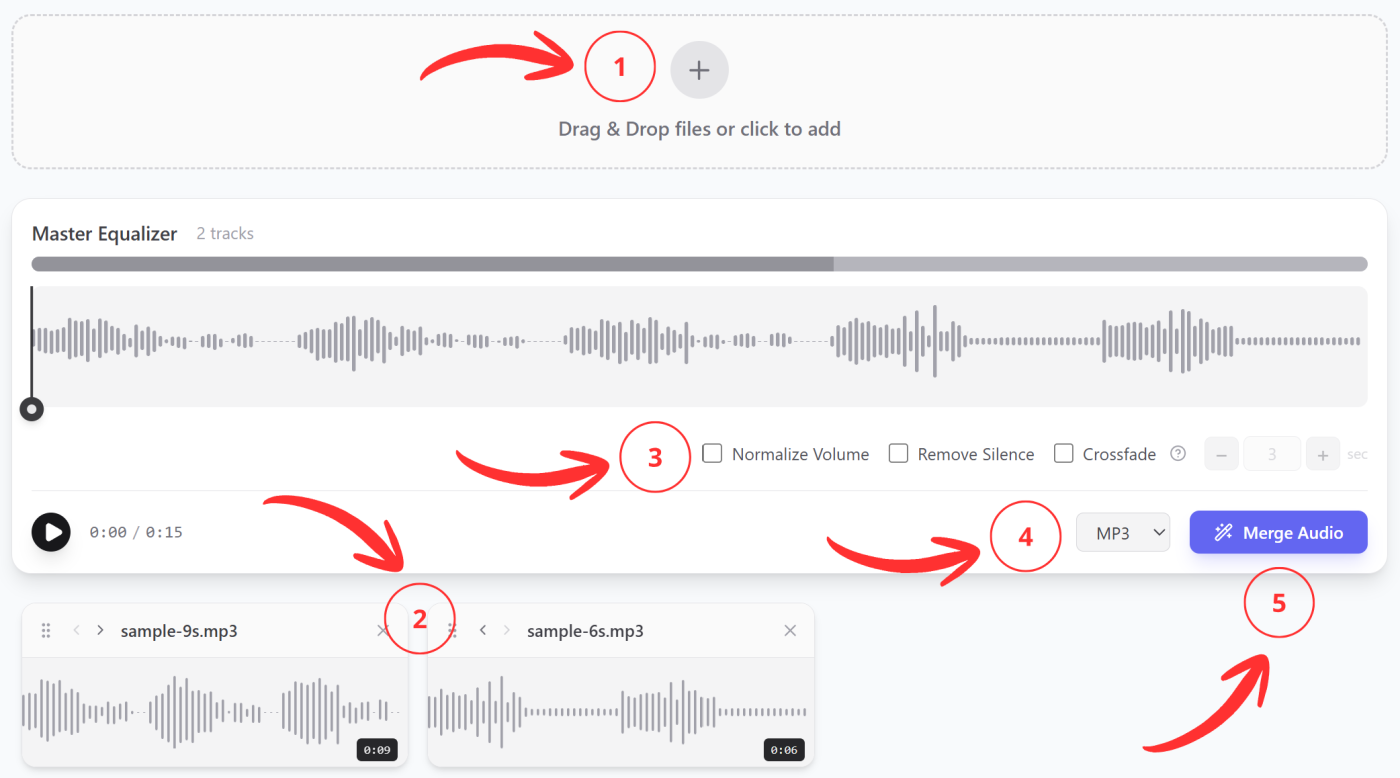
- Upload multiple audio files;
- Choose their desired order;
- Make the necessary settings;
- Select the conversion format;
- Click “Merge” – downloading will start automatically.
All necessary features are located on one screen. The workflow takes minimal time.