FAQ
How much does it cost?
Use all features absolutely free. No registration and no payment information required. No limits on the number of actions or track length.
Is TinyHelper free to use?
Yes, TinyHelper offers a free plan that gives you access to basic AI functionality, such as responding to emails and analyzing text. You can process up to 3 documents per day with the free plan.
What audio file formats can be uploaded and merged?
Our service supports a wide range of audio formats for upload, including:
- MP3 (MPEG Audio Layer 3)
- WAV (Waveform Audio File)
- OGG (Ogg Vorbis)
- FLAC (Free Lossless Audio Codec)
- AAC (Advanced Audio Coding)
- M4A (MPEG-4 Audio)
- WebM (Web Media)
- And other audio formats supported by modern browsers
After merging, you can download the finished file in various formats: MP3, WAV, FLAC, OGG, AAC, or M4A.
What quality will my MP3 file be exported in?
Your merged MP3 file will be exported at a bitrate of 192 kbps (kilobits per second) — this is high sound quality.
This bitrate provides excellent sound at a reasonable file size. It is ideal for listening to music, podcasts, and most audio tasks.
A bitrate of 192 kbps ensures that your audio will sound great without creating overly large files.
What does the “Normalize Volume” button do?
Normalize Volume automatically balances the volume of all your audio files to a single level so they sound equally loud.
The system analyzes each track separately and boosts quiet files or reduces loud ones, bringing everything to the same optimal volume.
What is Crossfade?
Crossfade smoothly blends tracks by overlapping their endings and beginnings. Set the duration (in seconds) to control the length of the transition. This eliminates silence between tracks and creates professional, smooth transitions between merged audio files.
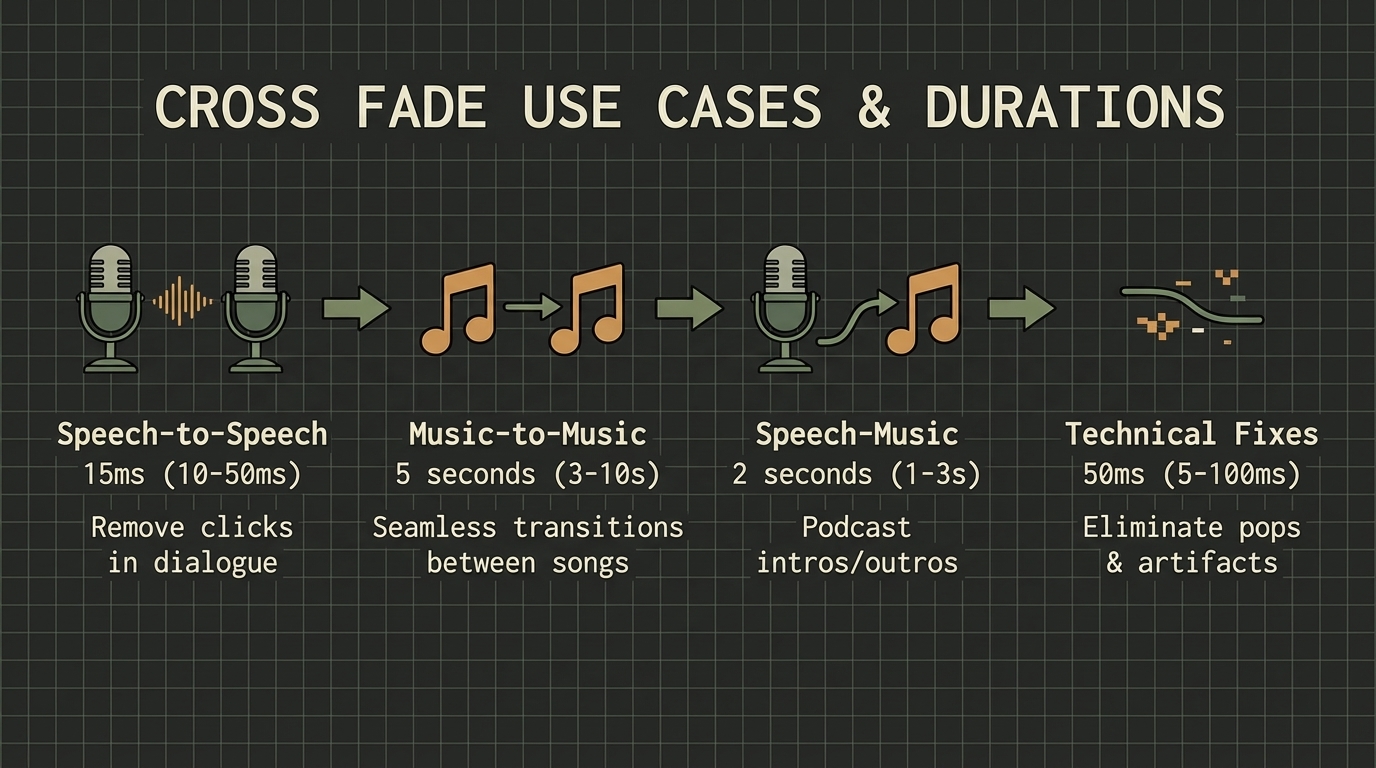
What crossfade duration should I choose?
The optimal crossfade duration depends on the type of audio content you are merging:
- For technical edits: 0.005-0.1 seconds
- For speech and dialogues: 0.01-0.05 seconds (removes clicks and abrupt transitions between dialogue fragments)
- For music tracks: 3-10 seconds
- For transitions from speech to music: 1-3 seconds